
Spare Parts Finder for Cars and Commercial Vehicles
For dealers in original, classic-car and specialty parts: customers find the part by make, model and model year or by OEM number, and see it in the exploded view before they order.
- Make, model, model year, assembly
- OEM numbers in drawing and search
- Swap superseded part numbers across every drawing

What car parts Techparts is built for
Techparts is built for product ranges where parts are found through assemblies and drawings, position by position:
- Original partsDealers who sell parts to the manufacturers' catalogs, using their drawings and numbers.
- Classic and future-classic carsParts for vehicles whose catalogs often survive only as scans, and whose part numbers have changed over the years.
- Commercial vehicles and vansBodies, axles, hydraulics: assemblies you have to show, because no one can name their parts.
- Quads, buggies, special-purpose vehiclesSmall series with their own catalogs that a large parts dealer doesn't carry.
Anyone selling wear parts for the entire vehicle market — brake pads or filters for thousands of models — usually works with vehicle databases. Techparts doesn't import those. Techparts is for everything you find through the drawing.
From vehicle to assembly
The catalog guides the customer the way they think about their car: make → model → model year → assembly. The assemblies follow the manufacturer catalogs that workshops already know:
- Engine, cooling, fuel system
- Transmission and clutch
- Axles, steering, brakes
- Body and interior
- Electrics and lighting
Where body styles or engine variants differ, they get their own level in the tree, or the affected positions carry a note. Model years in which an assembly doesn't change point to the same drawing. A correction then applies everywhere.
OEM numbers that get found
In the car parts trade, the OEM number is the common language between workshop, dealer and manufacturer. It appears at every position in the parts list, from the barcode, from a metafield, or directly at the position in the drawing.
The catalog search finds it even if the customer types it differently: hyphens don't get in the way, and neither do leading zeros. Every result names the make, model and assembly, and a click leads into the drawing to the highlighted position.
If the manufacturer replaces a number with a successor, Techparts shows every occurrence of the old product and swaps it across all drawings at once, or simply adds the new one alongside the old. How the old number still stays findable is covered in the article on searching by part number.
Bringing old catalogs into the shop
Especially with older vehicles, catalogs often only exist as a PDF or scan. The PDF parser reads position and part numbers from them. If the PDF has no text layer, it recognizes the position numbers from the image. Bills of materials spanning multiple pages are merged, and anyone who wants to clean up a sheet beforehand downloads the excerpt and feeds the edited version back in. Supplier data in XML format is taken over by the XML import in one run, complete with items and catalog tree.

Frequently Asked Questions
Do I need TecDoc data?
No. Techparts works with your own drawings, bills of materials and items in Shopify. Techparts doesn't import vehicle databases like TecDoc.
Can customers search by key number?
Techparts doesn't have its own vehicle database. But the catalog search does find categories by their name: if you also label models with key numbers, they become searchable that way too.
Does this work for classic car parts?
Yes, especially there: catalogs are often only available as scans, part numbers have changed over the years, and customers recognize many parts more easily from the drawing than from the name.
Can workshops reorder quickly?
Yes. The “Parts list only” view shows the positions without the drawing, the quantity selector is pre-filled with the quantity needed, and each row adds the part straight to the cart.
More on this in the Guide
-
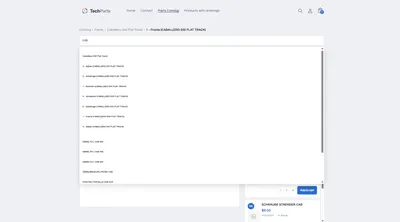
Spare Parts Search by Part Number: SKUs and OEM Numbers That Actually Get Found
Why customers often can't find their part number in the shop – leading zeros, hyphens, old numbers – and how a spare parts search finds it anyway. Read more -
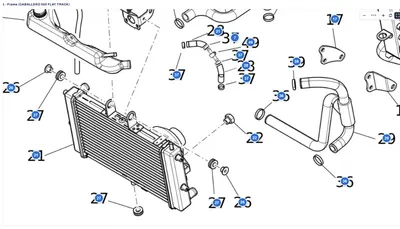
Avoiding Wrong Orders and Returns for Spare Parts
Why customers order the wrong spare part, and how a shop can prevent it: drawing, model matching, quantities, notes and superseded parts. Read more -
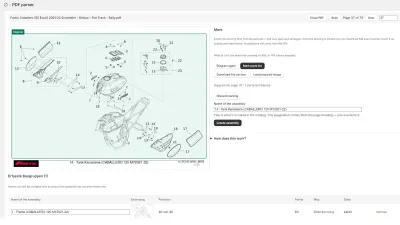
Digitizing a Spare Parts Catalog: From PDF to a Clickable Drawing in the Shop
Manufacturer catalogs as PDF, supplier data as XML, products as CSV: how existing documents become an interactive spare parts catalog in the shop. Read more


See your own catalog in your own shop.
Install Techparts, set up one assembly, view it in the shop. The free plan covers fifteen products with a drawing, with no time limit.