
Spare Parts Finder for Refrigeration and Heating Technology
A broken heating system in winter or a refrigeration unit in summer allows no delay. Your service technicians find the component by system type or OEM number and order directly on site.
- Organized by system type, not just by model
- Built for installers and service technicians
- Seasonal peaks in heating and refrigeration served separately

Two seasonal peaks, one catalog
Refrigeration and heating technology has an unusual rhythm: heating systems tend to break down in winter, refrigeration and air conditioning systems in summer. Between the two peaks, there's little time to catch up on the catalog — so it has to be in place before the season starts. Buyers are almost exclusively trade businesses: installers, refrigeration technicians, and maintenance companies who know their system well and need the right component quickly.
Organized by system type
The catalog leads via the system type to the assembly, not just via a model designation:
- Heat pumpsCompressor, heat exchanger, controls, refrigerant circuit
- Refrigeration systemsCondenser, evaporator, expansion valves, control technology
- Ventilation technologyFans, filters, heat recovery, dampers and actuators
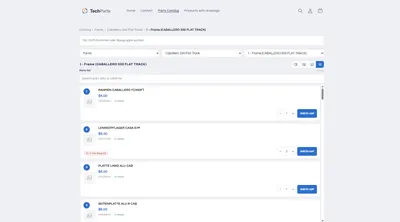
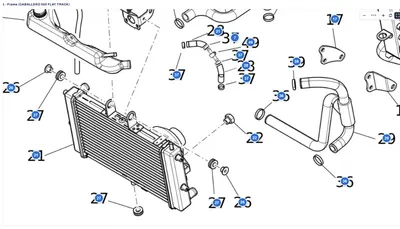
Within each assembly, the exploded view shows exactly where a component sits, with an SKU and OEM number, stock level, and required quantity at every line item — important for refrigerant components, whose version is often not freely interchangeable.
For the technician standing in front of the system
A refrigeration technician usually stands right in front of the system when searching for the spare part. Two paths get them there quickly:
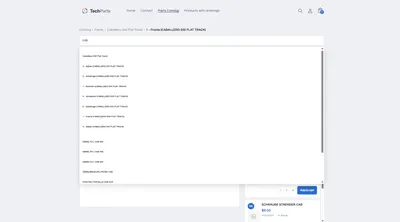
- Via the OEM number, read straight off the nameplate — the search finds it regardless of hyphens and leading zeros.
- Via the exploded view, when the number is illegible or the component is unknown. A click on the hotspot shows the name, price, and stock.
The “parts list only” view is especially suited to technicians who already know their parts and want to order without going through the drawing.
Multiple manufacturers, one structure
A specialist trade business rarely services just one brand. In the catalog, every system manufacturer gets its own branch, with its own series and assemblies, but the same search and ordering flow — the path to the part stays the same, no matter which system the technician is standing in front of.
Frequently Asked Questions
How do I represent different refrigerants or versions?
As separate line items with their own SKU, or as a note on the line item when a component is only compatible with a specific refrigerant or version. That way, no one orders a component for the wrong system.
Does the catalog pay off outside the seasonal peaks too?
Yes. Maintenance and scheduled replacement happen year-round, and a catalog that's ready before the season starts prevents exactly the bottlenecks that are most costly at peak times.
Can service technicians order on mobile?
Yes. The “parts list only” view is compact enough for a phone screen, with a quantity selector and add-to-cart button right in the row.
What does a catalog cost for multiple system manufacturers?
Parts catalog and catalog search belong to the PRO plan, larger data imports from PDF or XML to MAX. Prices are under Plans.
More on this in the Guide
-
Spare Parts Catalog in Machine and Plant Engineering: Publishing Bills of Materials Online
Publishing bills of materials and spare parts for machine and plant engineering online: model ranges, serial numbers, assemblies and reordering in your own Shopify shop. Read more -
Spare Parts Search by Part Number: SKUs and OEM Numbers That Actually Get Found
Why customers often can't find their part number in the shop – leading zeros, hyphens, old numbers – and how a spare parts search finds it anyway. Read more -
Avoiding Wrong Orders and Returns for Spare Parts
Why customers order the wrong spare part, and how a shop can prevent it: drawing, model matching, quantities, notes and superseded parts. Read more


See your own catalog in your own shop.
Install Techparts, set up one assembly, view it in the shop. The free plan covers fifteen products with a drawing, with no time limit.