
Spare Parts Finder for Home Appliances
Your customers are rarely professionals. They have an appliance, a barely legible nameplate, and a broken part in their hand — and still find it, because the exploded view right on the product page shows exactly where it sits.
- Drawing directly on the product page
- No technical knowledge needed to order
- Spare parts obligations make findability mandatory

Customers know their appliance, not its parts
Someone repairing a washing machine or a dishwasher is usually not a technician. They have an appliance, a model number somewhere on a barely accessible nameplate, and a broken part in their hand — but no name for it. "The rubber seal on the door" or "the pump that makes a weird noise" is often all the description many customers can give.
For this audience, one thing matters above all: show the part, don't ask for it by name.
The drawing belongs on the product page
For home appliances, an elaborate catalog tree by manufacturer and series usually isn't worth it — the drawing belongs directly on the product page of the relevant appliance. The customer ends up there anyway, searches for their model in your shop, and sees the exploded view immediately in context: no extra navigation, no preselection needed.
No technical knowledge needed to order
- Zoomdown to a single seal or spring, using the mouse wheel or two fingers.
- Numbered hotspotsthat grow along with their label — legible even with longer OEM numbers.
- Parts list with imageat every position, so the customer recognizes the part from the photo too, not only from the drawing.
- Required quantity preset, so a full set of seals ends up in the cart, not just one.
- Add to cart directly from the row, without a detour through a second product search.
Spare parts that need to be findable
In many product categories, there's now a legal requirement to keep spare parts available for a certain period. But being available only helps revenue if customers can actually find the part — a part number alone, buried in a PDF manual, doesn't really serve that purpose. An exploded view right on the product turns a formal obligation into a selling point: repairing becomes easier than buying a new appliance.
Keep maintenance parts clearly separate from repair parts
Filters, seals, and other wear parts are often bought regularly, regardless of any defect. In addition to the drawing, these parts can be listed in their own collection, so regular customers can reorder them without going through the drawing — both paths lead to the same product in Shopify.
Frequently Asked Questions
Do I need a catalog tree for home appliances like the one for vehicles?
In most cases, no. For home appliances, the product page already provides the context: the customer has already found their appliance before they need the drawing. A catalog tree only pays off once a part is installed in a great many appliances across different series.
How high does image quality need to be for small parts like seals?
High enough that even the smallest position number stays sharp when zoomed in. The editor will flag it if an image is borderline for sharp zooming in the shop.
Can customers find the right part even without knowing their model?
Yes, as long as they can find their appliance in the shop — via product search, category, or the model designation on the nameplate. From there, the drawing takes over: the customer recognizes the part visually, without needing to know its name.
What does the drawing on the product cost?
Included in the free plan, for up to fifteen products with a drawing and no time limit. More products and an additional catalog tree belong to PRO. Prices are under Plans.
More on this in the Guide
-
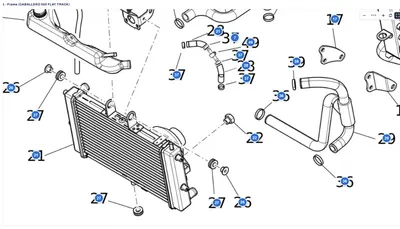
Avoiding Wrong Orders and Returns for Spare Parts
Why customers order the wrong spare part, and how a shop can prevent it: drawing, model matching, quantities, notes and superseded parts. Read more -
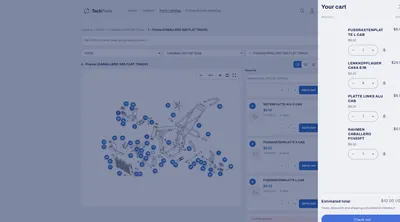
Selling Spare Parts Online: A Guide for Dealers and Manufacturers
Selling spare parts online: what sets spare parts shops apart from ordinary ones, what data you need, and how customers order without a follow-up call. Read more -
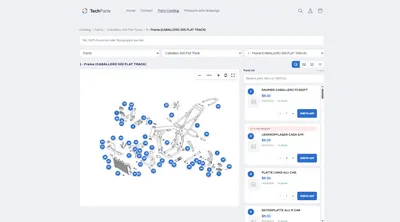
Interactive Exploded View: Hotspots, Parts List and Cart in the Shop
What an interactive exploded view has to deliver in the shop: numbered hotspots, a linked parts list, zoom, cart – and how it gets into Shopify. Read more


See your own catalog in your own shop.
Install Techparts, set up one assembly, view it in the shop. The free plan covers fifteen products with a drawing, with no time limit.