
Spare Parts Finder for Medical, Rehab and Hygiene Equipment
A wheelchair or a mobility scooter has to stay safe. Your customers find exactly the right part by manufacturer and model, see it in the drawing, and never order an approximate fix.
- Safety-relevant parts clearly identified
- Built with medical supply stores and rehab technicians in mind
- Wear parts for practices and care

When the wrong part is a safety risk
With a wheelchair, a mobility scooter, or a care bed, a spare part is rarely interchangeable with “something similar.” A brake, a wheel suspension, or a battery mount has to fit the model exactly — otherwise a repair turns into a safety risk. Anyone selling spare parts in this field is therefore selling, above all, certainty: the one right part, clearly assigned to a model.
Buyers here are medical supply stores, rehab technicians, care services, and increasingly family members who maintain a device at home themselves. All three groups need the same thing: clarity instead of choice.
From manufacturer to assembly, with no detour
The catalog leads via manufacturer, model, and assembly to the exploded view: drive, brakes, seating system, electrics. Each line item carries an SKU and OEM number, stock level, and the quantity needed — and, where it matters, a note such as “only with approval for model XY” or “from serial number …”. These notes belong visibly on the line item, not in a footnote that gets overlooked when ordering.
Maintenance and hygiene parts kept separate from spare parts
Besides actual spare parts, this industry has a second, often larger need: wear and hygiene items that are replaced regularly, regardless of any defect — covers, filters, disposable items for practices. These items can be managed in their own collections alongside the exploded view, so that regular customers can reorder them without going through the drawing.
One drawing for several model variants
Many manufacturers build the same base platform in several equipment variants. Identical components — such as the same brake in three wheelchair models — are attached to one shared drawing that is linked from every affected model. A correction then takes effect everywhere, without having to maintain several copies individually.
Frequently Asked Questions
How do I make sure customers don't accidentally order an incompatible part?
Through a note on the affected line item, visible directly in the parts list, and through a catalog structure that's organized by model from the start, not just by part type. Anyone ordering via the drawing of a specific model only sees the parts that are actually installed there.
Does this also work for practice supplies that don't have an exploded view?
Yes. Consumables and hygiene items can be managed as a regular collection, independent of the catalog tree. Both paths order into the same cart.
Can care services or family members use the catalog without specialist knowledge?
Yes, that's the whole point of the exploded view: the part is recognized visually, not searched for using technical terms. Above the drawing, customers can also search by SKU or OEM number if they already know it.
What does the catalog cost for multiple manufacturers?
Parts catalog and catalog search belong to the PRO plan. Anyone who first wants to show individual models with a drawing on the product can start on the free plan. Prices are under Plans.
More on this in the Guide
-
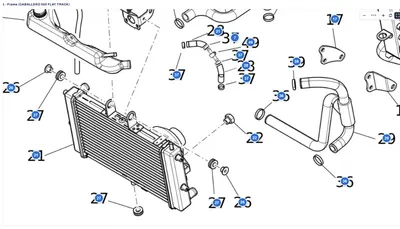
Avoiding Wrong Orders and Returns for Spare Parts
Why customers order the wrong spare part, and how a shop can prevent it: drawing, model matching, quantities, notes and superseded parts. Read more -
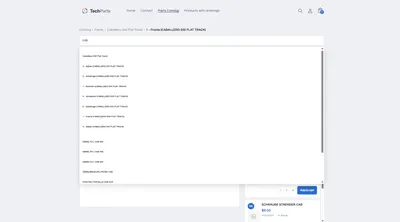
Spare Parts Search by Part Number: SKUs and OEM Numbers That Actually Get Found
Why customers often can't find their part number in the shop – leading zeros, hyphens, old numbers – and how a spare parts search finds it anyway. Read more -
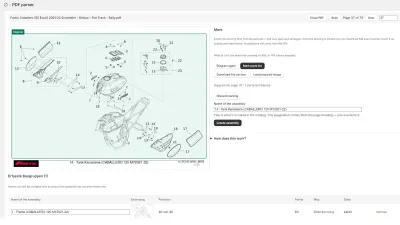
Digitizing a Spare Parts Catalog: From PDF to a Clickable Drawing in the Shop
Manufacturer catalogs as PDF, supplier data as XML, products as CSV: how existing documents become an interactive spare parts catalog in the shop. Read more


See your own catalog in your own shop.
Install Techparts, set up one assembly, view it in the shop. The free plan covers fifteen products with a drawing, with no time limit.